
Widefield Effect
Gyre
3-band stereo motion
Stereo Orbit splits the input into low, mid and high bands. Each band has its own stereo position, width and level, with a separate LFO or envelope follower for each control.
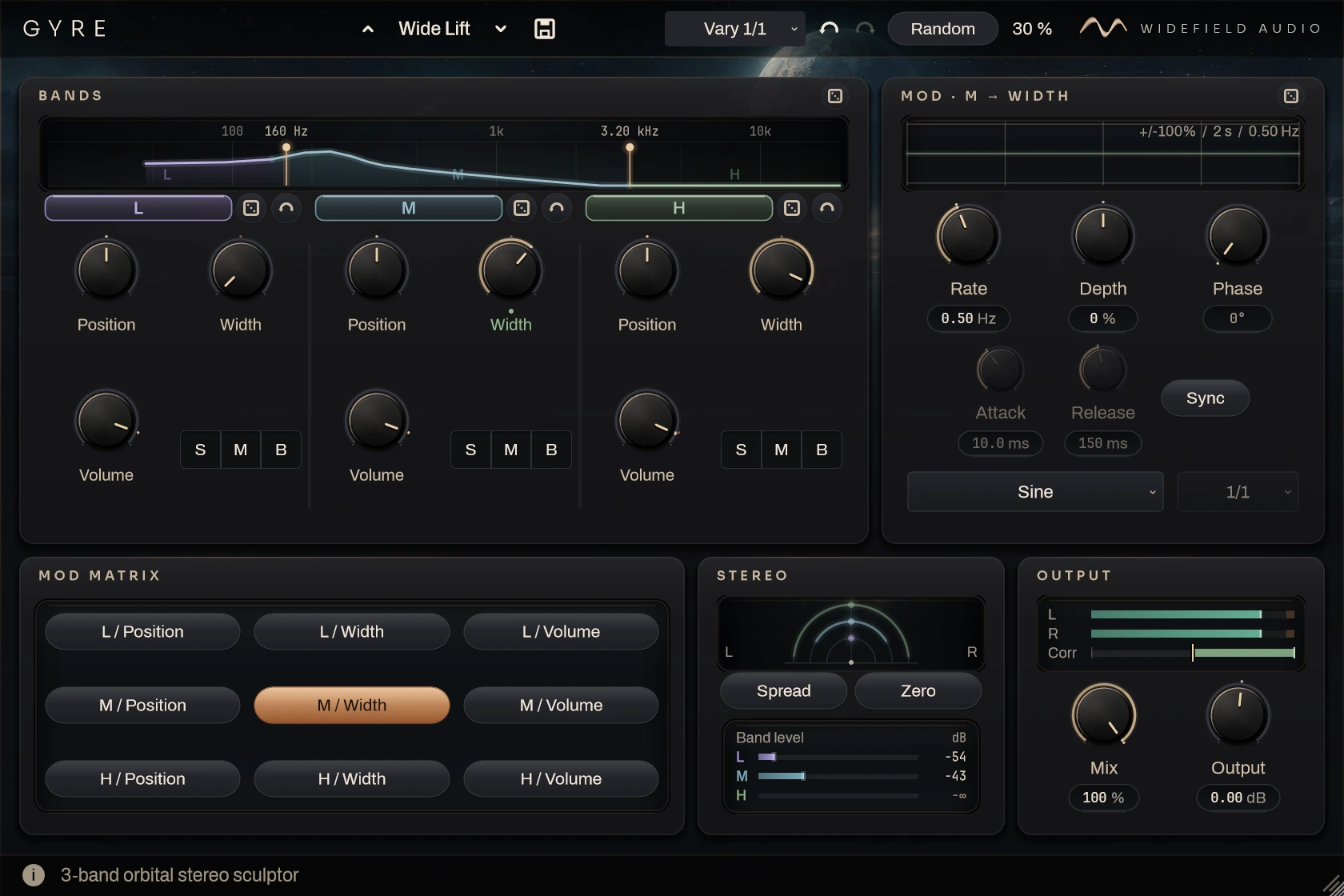
- Window
- 840 × 560
- Automatable
- 94
- Controls
- 20
- Presets
- 9
- MIDI in
- No
- Format
- VST3
In practice
Drag the crossover handles on the spectrum to set the band boundaries. With modulation off, set the low band to mono and widen the high band for a fixed stereo adjustment.
For gradual movement, try a 0.12 Hz sine LFO on each band’s Position and click Spread. To make width respond to the level of a band, use its envelope follower, which reads the signal before processing.
Alt-drag the body of a band knob to give its base value a random range. At each Vary division chosen in the header it picks a new value, and the modulation moves on top of it.
Reach for it whenKeep the bass centred while the mids or highs move across the stereo field.
- 01
Crossover and band controls
A 24 dB/octave Linkwitz-Riley crossover splits the bands. Each band has width from 0 to 200%, position and volume, plus Solo, Mute and Bypass.
- 02
Nine modulators
Each modulator offers eight waveforms or an envelope follower. LFO rates run freely or sync to the host. Depth ranges from -200% to +200%.
- 03
Stereo position
As a band moves to one side, Position mixes the opposite channel into that side. Width can sum a band to mono.
- 04
Spread and randomisation
Spread offsets the modulator phases across the bands by 0, 120 and 240 degrees. Each band has its own randomiser, and dice on the Bands and Mod sections vary only those sections.
Signal path
- Crossover
- Width
- Position
- Volume
- Band sum
- Mix
Controls
By section, in interface order.
Crossover
- Low/Mid
- Mid/High
Bands
- Position
- Width
- Volume
- S
- M
- B
Mod
- Shape
- Rate
- Sync
- Division
- Depth
- Phase
- Attack
- Release
Stereo
- Spread
- Zero
Output
- Mix
- Output
Factory presets
9 included. Save your own from the preset menu.
- Init
- Wide Lift
- Slow Orbit
- Split Chase
- Envelope Bloom
- Gated Shimmer
- Tidal Drift
- Mono Anchor
- Pendulum
Listen
- Slow Orbit preset on a choir pad
- Tidal Drift preset on a choir pad
Install
Download Gyre- 01
Extract
Download the ZIP file and extract it. It contains one .vst3 folder.
- 02
Copy
Copy Widefield Gyre.vst3 to C:\Program Files\Common Files\VST3. Windows may ask for administrator permission.
- 03
Rescan
Rescan plugins in your DAW and look for Widefield Gyre.