
Widefield Instrument
Thaw
Evolving pad
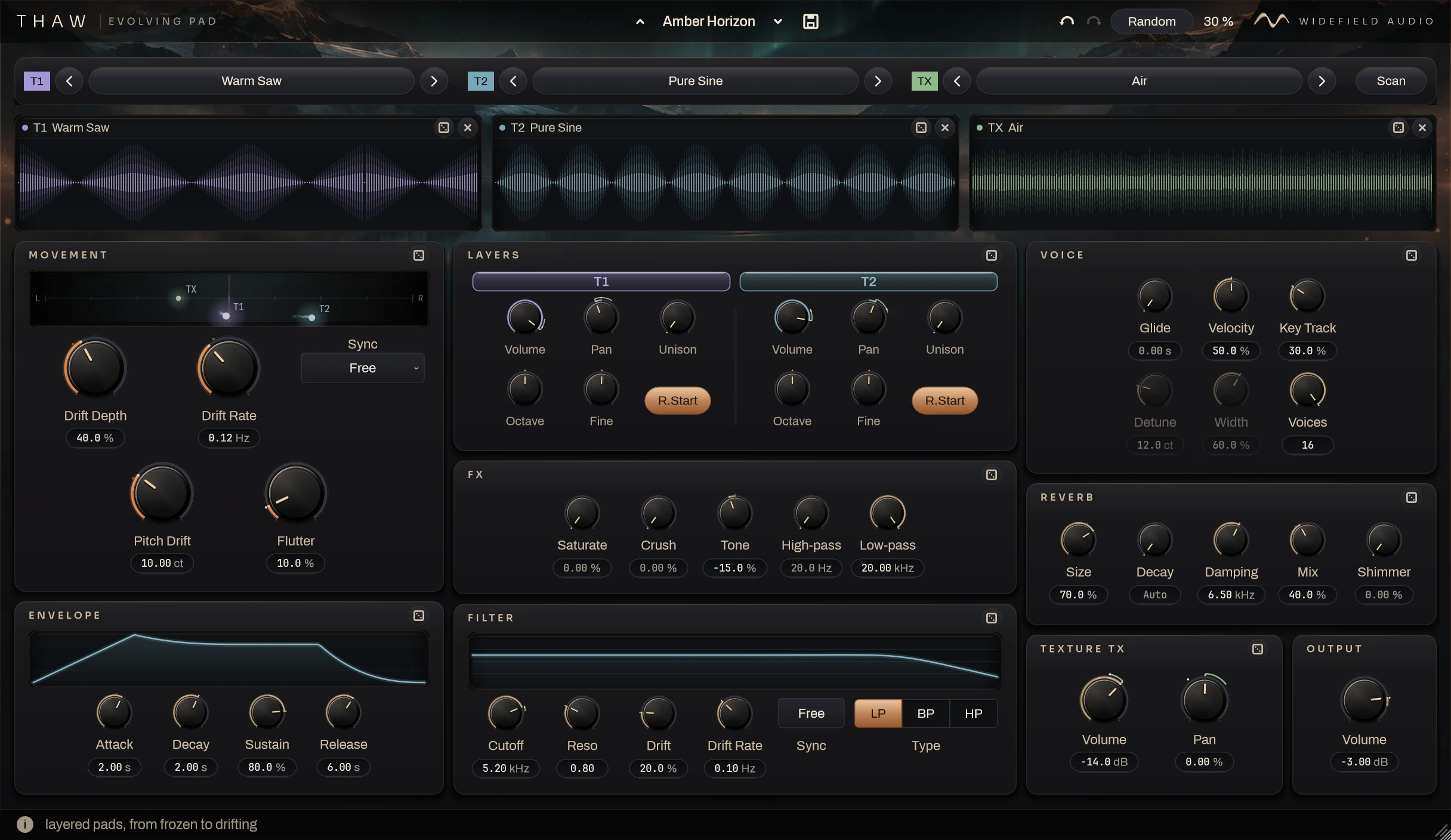
Each note combines two pitched layers and a texture layer, each shown as a waveform you can loop in part. The layers drift in level, pan and pitch, into saturation, 24 dB filters and shimmer reverb.
- Window
- 1216 × 704
- Automatable
- 52
- Controls
- 42
- Presets
- 18
- MIDI in
- Yes
- Format
- VST3
In practice
Turn up Drift Depth on a held chord to hear the balance and stereo position of the layers change independently. For a steady pad, set Drift Depth, Pitch Drift, Flutter and filter drift to zero.
Start with Aurora Veil to hear the frozen sources with shimmer, or drop your own file on a layer’s waveform box. The dice on a box picks a new source for that layer only, and Scan picks new sources for all three. Random varies the settings around their current values without touching the sources; the dice in a section’s title does the same for that section alone. Undo restores the previous settings.
Alt-drag a knob to give it a random range. Each note picks its own value inside it for the layer, drift, filter, voice and envelope knobs; Flutter, the effects, the reverb, Voices and Volume change for the whole pad at every note.
Reach for it whenLayer a steady pad with a recording of rain, loop one second of a long sample, or let each layer drift in time with the song.
- 01
Three sources per note
Drop an audio file on a layer's waveform box, pick a built-in or frozen source, or empty the layer. On files and frozen sources, drag the blue region to loop only part of the sample.
- 02
Layer drift
Drift Depth and Drift Rate set slow random changes, and both drift speeds can follow the host tempo. Each tonal layer plays up to four detuned copies, and Glide slides each new note from the last one.
- 03
Frozen sources and effects
The six frozen sources use resonant noise held in reverb. Saturate comes before Crush, a 24 dB high-pass and low-pass sit before the reverb, and Shimmer feeds the reverb back an octave higher.
- 04
21 factory presets
Nine presets use moving layers, eight use frozen sources and four show unison, glide, tempo-synced drift and a looped fragment of a frozen source.
Signal path
- Three layers
- Random drift
- Voice filter and envelope
- Saturate and Crush
- High-pass and low-pass
- Reverb and Shimmer
Controls
By section, in interface order.
Movement
- Drift Depth
- Drift Rate
- Sync
- Pitch Drift
- Flutter
Envelope
- Attack
- Decay
- Sustain
- Release
Layers
- Volume
- Pan
- Unison
- Octave
- Fine
- R.Start
FX
- Saturate
- Crush
- Tone
- High-pass
- Low-pass
Filter
- Cutoff
- Reso
- Drift
- Drift Rate
- Sync
- Type
Voice
- Glide
- Velocity
- Key Track
- Detune
- Width
- Voices
Reverb
- Size
- Decay
- Damping
- Mix
- Shimmer
Texture TX
- Volume
- Pan
Output
- Volume
Regione
- Start
- Length
Factory presets
18 included. Save your own from the preset menu.
- Init
- Amber Horizon
- Glass Lantern
- Night Tide
- Dust Choir
- Hollow Signal
- Slow Bloom
- Rain Window
- Deep Field
- Tape Memory
- Still Lake
- Hoar Glass
- Polar Night
- Brittle Signal
- White Breath
- Aurora Veil
- Frozen Engine
- Thaw
Listen
- Amber Horizon preset, moving pad, four chords
- Aurora Veil preset, frozen sources with shimmer, four chords
- Polar Night preset, frozen and dark, four chords
Pairs well with

Install
Download Thaw- 01
Extract
Download the ZIP file and extract it. It contains one .vst3 folder.
- 02
Copy
Copy Widefield Thaw.vst3 to C:\Program Files\Common Files\VST3. Windows may ask for administrator permission.
- 03
Rescan
Rescan plugins in your DAW and look for Widefield Thaw.